PeppermintMay 18, 2026, 7:44:52 PM

The must-have, smart web-based accounting software package!

Online demo

The PEPPERMINT Software Package is a web-based product.

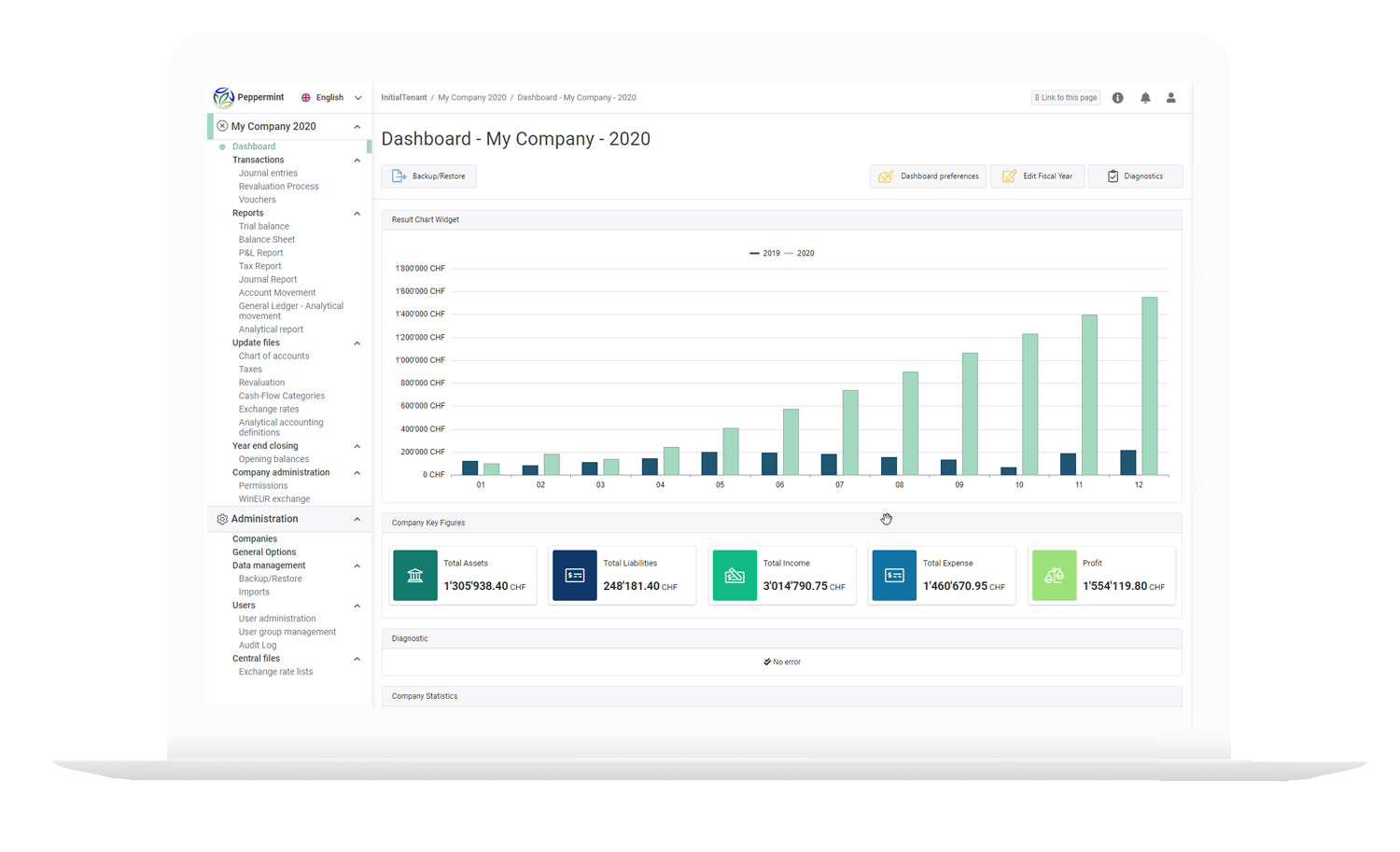
Simple, powerful, and visually appealing, PEPPERMINT leverages industry-standard database technologies as well as the latest graphical tools, such as configurable widgets for its dashboard.

The PEPPERMINT software package includes:

  • General ledger accounting with a graphical dashboard (widgets).
  • Cost accounting as well as accounts receivable and accounts payable.
  • Electronic archiving of documents and invoices using OCR.
  • E-banking management (ISO 20022).
  • Phone and email support. (GOLD plan)
  • Backups and updates. (GOLD plan)

PEPPERMINT CONNECT

CHF 79.-

/month/user
(1 user only)

The basic version to get started with Peppermint

  • 1 company

  • 1 user

  • 100 GB of storage space

  • Accounting

  • Dashboard

  • OCR Archiving

  • online banking

  • Accounts Receivable / Accounts Payable

  • Support, updates, and backups (GOLD plan)


  • MINT Sales Management Software( email support)

  • 1 fiduciary access included

PEPPERMINT SME

CHF 165.-

/month/user (additional users: CHF 105)

The perfect version to get started with Peppermint

  • 5 companies

  • Unlimited users

  • 100 GB of storage space

  • Accounting

  • Dashboard

  • OCR Archiving

  • online banking

  • Accounts Receivable / Accounts Payable

  • Analytics

  • Support, updates, and backups (GOLD plan)

  • Migration of 5 companies / 3 fiscal years in WinEUR Accounting

  • 1 fiduciary access included

PEPPERMINT PRO

CHF 295.-

/month/user (additional users: CHF 195)

The Professional version of Peppermint

  • Unlimited Liability Companies

  • Unlimited users

  • Unlimited storage space

  • Accounting

  • Dashboard

  • OCR Archiving

  • online banking

  • Accounts Receivable / Accounts Payable

  • Analytics

  • Support, updates, and backups (GOLD plan)

  • Migration of 5 companies / 3 fiscal years WinEUR Accounting

  • Fiduciary access included

ANALYTICAL MODULE

The module for more detailed management of the company's costs and revenues

THIRD-PARTY MODULE

Accounts receivable and accounts payable management.
(customers / suppliers)

E-BANKING MODULE

This module provides comprehensive electronic payment management.

The features you need

General Information

Software Features

  • Cloud-based product: no on-premises installation, no investment in specialized infrastructure.
  • Support for Chrome, Firefox, Edge, and Safari.
  • Multi-user support with group management and detailed permissions.
  • Integration with Microsoft and Google identity federations.
  • Multiple languages.
  • Detailed operations audit log (user, date, changes).
  • Generalized handling of Unicode (international) characters.
  • Option to export backup data.
  • Import and export to and from the WinEUR XML format.
  • Importing and exporting accounting documents in PDF format to WinEUR.
  • A customizable dashboard for each fiscal year.
Chart of Accounts

Bank reconciliation and automatic posting

  • Chart of accounts fully customizable by company. Maximum account length: 50 characters. Accounts with variable lengths.
  • Quick update of the chart of accounts for the various companies.
  • Each accounting system may have a different chart of accounts; all types of charts of accounts are accepted (alphabetical or numerical).
  • The concept of classes, groups, and accounts, with the option to create subclasses and subgroups.
  • Account titles with no length restrictions.
  • Create new accounts directly from the journal entry screen.
  • Importing another company's chart of accounts, with the option to change the base currency.
  • Accounts can be renumbered.
Entry of journal entries

Dashboards and Financial Analysis

  • Unlimited number of lines (debits, credits) and the ability to customize transaction descriptions with no length restrictions.
  • Single journal or multiple journals (purchases, sales, financial, etc.)
  • Concept of provisional entries, with immediate updating of accounts (display and print) and all reports.
  • Option to remain in a temporary position for the entire fiscal year while preparing all financial statements and the general journal.
  • You can enter negative debit or credit amounts.
  • While entering journal entries, you can:
    – create new accounts
    – view the chart of accounts and select an account
    view account details and review the details of a journal entry
    – verify an entry by displaying the account names.
  • Integration of PDF accounting documents into journal entries with a context-sensitive PDF viewer.
  • Support for the "Document -> Entry" data flow.
  • A journal entry used to record off-balance-sheet provisions that are automatically reversed.
  • Automatic reversal of journal entries.
  • Quick search in the log.
  • Optional: dual-screen technology integrated with WinEUR ARCHIVE for greater efficiency in entering journal entries.
Integrated VAT processing

Automatic calculations and simplified filings

  • A tax table that is fully customizable by the user, with multiple calculation methods (intra-Community VAT, imports, exports, etc.)
  • VAT summary, display, and printing of the VAT statement.
  • Option to automatically allocate the tax when entering the journal entry.
  • Option to select the currency for VAT calculations.
Foreign currencies

To simplify currency management

  • 3-digit currency code.
  • Unlimited coins.
  • Ability to manage currencies using a central file shared across multiple accounting systems.
  • Management based on the dual-currency principle, with each currency account specifying:
    – the amount in the currency
    – the amount in the reference currency
    – the exchange rate
  • The user can see the account balance in the account currency and the reference currency at any time.
  • Revaluation of accounts held in foreign currencies, including printing of the revaluation results and, if necessary, generation of journal entries for accounting purposes.
  • Management of ISO currency codes for banking relationships
  • Filter by currency.
  • Standard, closing, or daily rates for each currency.
  • Direct import of daily exchange rates from external sources (European Central Bank, Federal Customs Office).
  • Tool for importing and exporting currencies using Excel.
Printing and Display

Viewing, printing, exporting, and comprehensive accounting reports

  • Viewing and printing the chart of accounts.
  • View and print account transactions and the balance sheet, with or without provisional entries, as of the desired date.
  • Display and print trial balances with debit and credit columns.
  • All of these reports or printouts can be generated for one or more selected accounts.
  • Export reports as PDF or spreadsheet files.
  • Financial statements and income statement with a year-over-year comparison.
  • Option to enable a cash flow statement.
100% online

Enjoy a 30-day free trial!

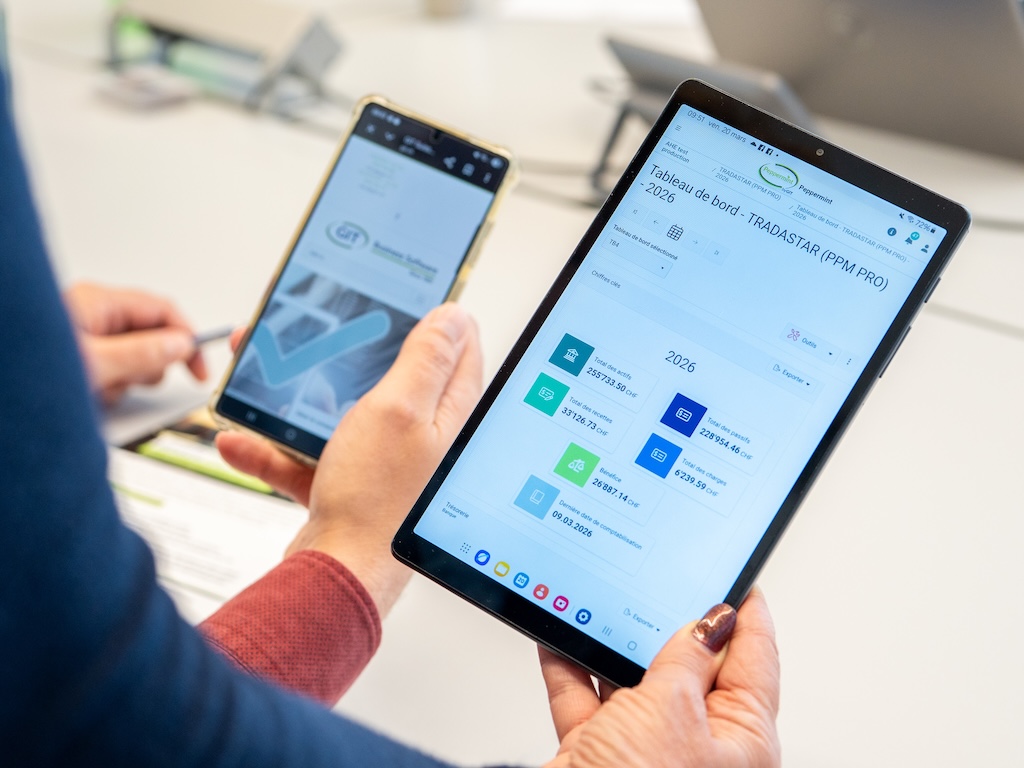
No local installation, no investment in specific infrastructure. The PEPPERMINT PACK works with any browser on a PC, Mac, or Linux computer, as well as on a smartphone or tablet.

Questions you may have

Frequently Asked Questions

Can Peppermint integrate with APIs?April 23, 2026, 12:14:27 PM

Yes. Peppermint can integrate with APIs, which makes it possible to exchange data with third-party applications depending on the project’s functional requirements and technical framework.

Can I try Peppermint before committing?April 23, 2026, 12:14:54 PM

Absolutely. We can offer you a 30-day trial period.
You can also contact us for a personalized demo.

Can documents and invoices be archived in the software?April 23, 2026, 12:07:06 PM

Yes. Peppermint integrates electronic archiving with optical character recognition (OCR). Accounting documents in PDF format are directly linked to journal entries, enabling quick access and greater automation when entering journal entries via QR codes, which saves time and improves accuracy.

Can trustees access their clients' records?April 23, 2026, 12:06:12 PM

Yes. Some Peppermint plans include fiduciary access by default, which simplifies collaboration and real-time data sharing between the company and its accountant.

What modules are included in Peppermint?April 23, 2026, 12:05:38 PM

Peppermint includes the following as standard:

  • General ledger, accounts receivable, and accounts payable.
  • Cost accounting.
  • Online banking.
  • Electronic archiving with OCR.
  • The graphical dashboard.

Some versions also include the Mint module for managing quotes, orders, and invoices.

What is the difference between WinEUR and Peppermint?May 5, 2026, 11:02:25 AM

Peppermint is the next-generation web-based version of our accounting solutions.

Unlike WinEUR, Peppermint runs directly in a web browser, without requiring any specific infrastructure. It features a modern interface with a graphical dashboard, intuitive multi-tab navigation, bookmark management, and a simplified “drag & drop” function for archiving invoices.
The software also includes an audit log that tracks operations performed by each user, enhancing transparency, control, and monitoring of actions carried out within the system.

Is Peppermint only for small businesses?April 23, 2026, 12:03:48 PM

No. Peppermint is suitable for both small businesses and companies with multiple subsidiaries, multiple users, and more advanced needs in accounting, analytics, archiving, and e-banking.
Depending on the plan you choose, you can manage anywhere from 1 company to an unlimited number of companies.

What are the main benefits of Peppermint?May 11, 2026, 4:04:20 PM

Use of standard technologies (Web, SQL, Cloud, development methods and tools).
Guaranteed performance, and scalable with just a few clicks.
Accessible via a standard browser on PC or Mac.
Many of WinEUR's limitations have been overcome (for example, text and description lengths).

What about security?March 26, 2026, 4:02:40 PM

100% of Peppermint uses the Microsoft Azure cloud. GIT chose Microsoft because it is “too big to fail.”
Servers are guaranteed to be located in Switzerland, with a second server in Switzerland. Authentication is based on the latest technologies (including two-factor authentication).
Applications are always up to date, and data backup is handled by GIT.
Backup/restore can be performed by the user without going through GIT support.

Is it easy to migrate WinEUR accounting software to Peppermint?March 26, 2026, 4:02:46 p.m.

It takes just a few minutes: first, trigger an export in WinEUR, then import the data into Peppermint, including all archived accounting documents (PDFs).

Ready to simplify your accounting?

Join more than 2,200 Swiss users who have chosen GIT to manage their accounting with complete peace of mind.

Go to the top