

WinEURMay 18, 2026, 3:05:41 PM

WinEUR: a modular ERP system for business management.
Local license or cloud license

WinEUR is available in 3 versions

WinEUR can be customized to meet your specific needs and organizational structure. Easy to use and intuitive, and renowned for its reliability, it is not limited to accountants alone. For 45 years, it has been used by accounting firms and banks, foundations and associations, international organizations, as well as businesses of all sizes.

WinEUR SME

Primarily designed for small and medium-sized businesses.
Limited to one company

WinEUR MULTI

The solution designed for small and medium-sized businesses (SMEs).
Limited to 3 companies

WinEUR PRO

For all businesses.
No limit on the number of companies

The modules you need

WinEUR is a modular ERP system for business management; you can customize the software to meet your specific needs:

Available in on-premises or cloud-based versions, the WinEUR Accounting software supports multiple companies, multiple languages, multiple currencies, and multiple journals. There are no limits on the number of accounts, journal entries, journals, or cash flows.

This module handles accounts receivable and accounts payable in direct integration with WinEUR Accounting, as journal entries are generated automatically within that system.

The Analytics module allows you to identify and analyze the components of the fiscal year’s results for interpretation and use.

Customizable to meet your specific needs, this business management software module provides a comprehensive overview of past performance, the current situation, future projections, and any other analyses required by managers. The budget is built on the basis of general and/or cost accounting and can support multiple currencies.

The WinEUR Inventory module allows you to manage inventory and link it directly to invoicing if the WinEUR Invoicing module is integrated. The software supports barcode management and mobile laser scanners, and it integrates with other IT systems.

WinEUR Time Sheet allows you to manage your employees’ working hours and allocate those hours to cost centers and/or projects and/or clients. It automatically integrates billing data. Each employee can enter their hours and allocate them as needed. An intuitive, easy-to-use mobile app is available that works offline.

WinEUR IZI-REPORT is a module that allows you to create Excel reports directly linked to your accounting data in WinEUR. Use the fields and formulas you’re already familiar with to optimize your current dashboards: no special IT skills are required.
These reports are generated dynamically: once created, they will be automatically updated with a single click as soon as new accounting data is entered into WinEUR.

When managing multi-company (group) accounting, this module provides consolidated financial results and analyses. To achieve this, the consolidation process aggregates the financial statements of each company within the group and performs adjustments to treat them as a single entity. This allows you to report, audit, and submit financial statements.

WinEUR ARCHIVE is an electronic document management software solution designed for accounting. It will help you save space and time when entering journal entries. By scanning documents using a desktop scanner or a multifunction printer, you can explore new possibilities for moving toward a paperless archiving system and become even more efficient in managing your accounting.

This module allows you to manage the fixed assets required for operations. Integrating this module with the WinEUR Accounting software enables you to identify all fixed assets and track acquisitions, depreciation, and disposals.

This module allows you to create tables and set up metrics to track the performance of your business. Linked to your accounting system, the reports provide an accurate snapshot of your business at any given time. WinEUR DASHBOARDS lets you present data in a clear and visually appealing format.

WinEUR Payroll offers all the features needed to process payroll in accordance with Swiss standards, whether handled by one or more users. The program also allows for the analysis of payroll costs based on criteria selected by the user. It generates all official documents. It also offers the option to integrate accounting entries directly with WinEUR Accounting (simplified payroll management ).

WinEUR Salaires BUDGET offers a simple and robust methodology for cost-effectively budgeting personnel expenses, whether you have 10 or 250 employees. Once staffing levels have been determined and planned—by job position or group of positions— WinEUR Salaires BUDGET allows you to calculate all expenses according to the various defined categories and generate monthly or annual summaries.

WinEUR IZI-SCAN mobile lets you scan the QR code on a Swiss QR-Invoice using a standard smartphone.
WinEUR IZI-SCAN mobile automatically transfers the contents of a Swiss QR-Invoice into the data entry area of the WinEUR software, whether in local or cloud mode.
Very easy to use, this mobile app will greatly simplify data entry for WinEUR users who do not have a dedicated document scanner.

This module, which works with WinEUR TIERS and WinEUR ARCHIVE, enables the intelligent scanning of supplier and customer invoices so they can be forwarded to the accounting department with minimal user intervention in WinEUR. It also allows tasks to be distributed among team members based on their areas of expertise.

This module, which is part of the WinEUR business management software and integrates with your accounting system, allows you to manage various portfolios for different clients. It provides an analysis of your current holdings and enables you to maintain your accounting records directly based on purchases and sales. As a result, it immediately reports the gains and losses on each of the portfolios under management.

This module electronically manages all your payment transactions, including transfers in ISO 20022 formats and the upload of QR-Invoice collection files.

WinEUR Invoicing is a standard product that can be adapted to a wide range of industries. This module handles all aspects of invoicing for goods and services. It can be customized to meet specific needs and integrates seamlessly with general accounting software, though it can also operate independently.

This optional module, integrated with WinEUR Salaries, allows you to fully manage all administrative documents related to your employees electronically, thanks to the integration of M-FILES, an electronic document management software. It provides a simple and user-friendly interface for importing all documents related to your human resources.

This module is a remote invoice validation process based on document scanning. The system can be installed either on our SaaS server or on-premises at your location.
WinEUR Expense Tracker is easy to use and lets you record your business expenses—such as meals, lodging, and supplies—no matter where you are.
WinEUR Expense Reports includes an optical character recognition (OCR) engine that automatically reads most of the information on your receipt or invoice. This app is available on Android and iOS, supports multiple currencies and companies, and is available in French and English.
WinEUR MOBILE APPS

WinEUR Expense Reports & WinEUR Mobile Timesheet

WinEUR Expense Tracker is easy to use and lets you record your business expenses—such as meals, lodging, and supplies—no matter where you are.
WinEUR Expense Reports includes an optical character recognition (OCR) engine that automatically reads most of the information on your receipt or invoice. This app is available on Android and iOS, supports multiple currencies and companies, and is available in French and English.

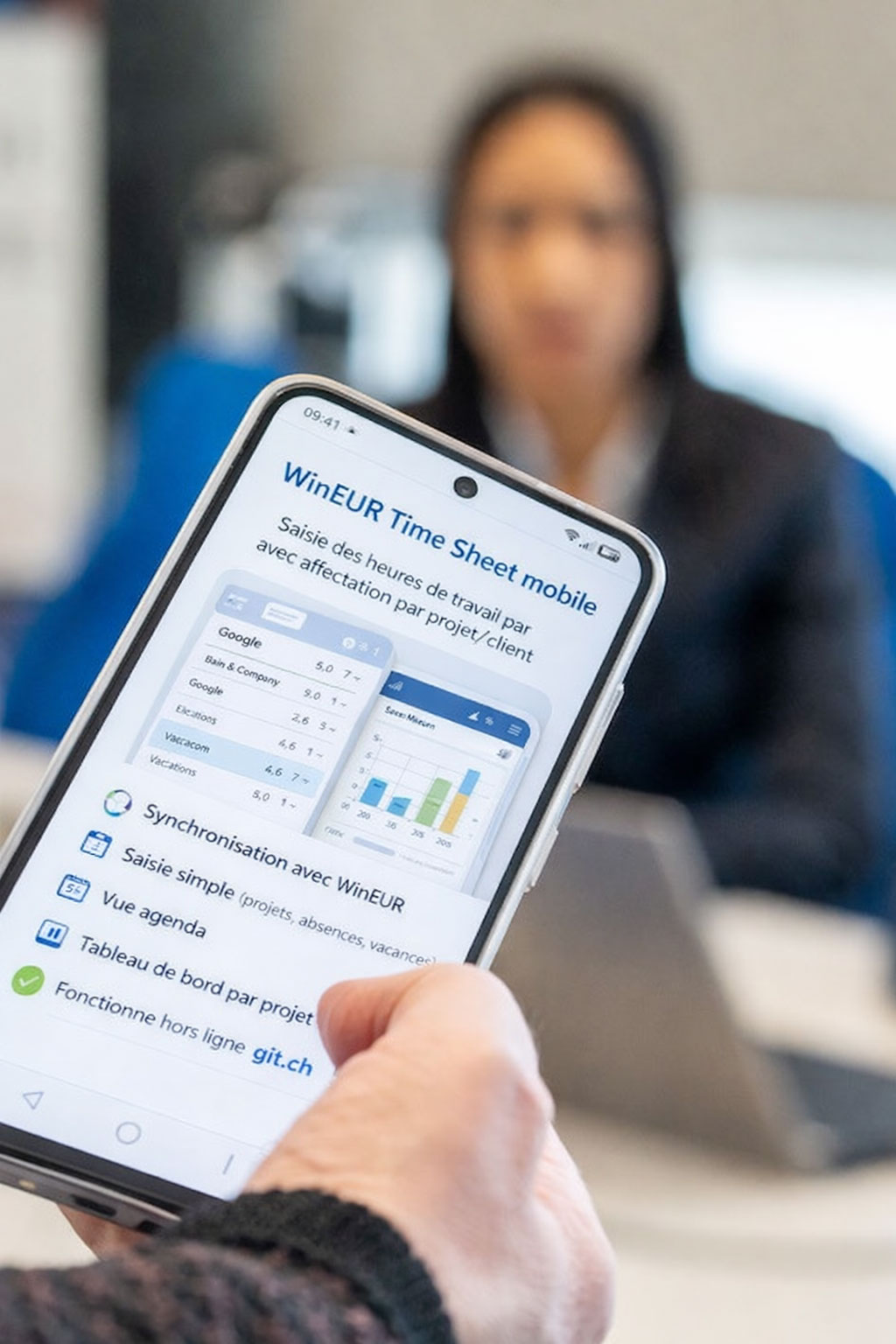
WinEUR Time Sheet Mobile allows you to track your employees’ working hours and allocate those hours to projects and/or clients.
WinEUR Time Sheet Mobile automatically integrates billing data. Each employee can enter their hours and allocate them as needed. Intuitive and easy to use, this app works offline.
Questions you may have

Frequently Asked Questions

Does WinEUR allow you to manage the sales side of the business?April 23, 2026, 3:21:38 PM

Yes. WinEUR allows you to manage quotes, orders, and invoices, ensuring consistent tracking of sales operations from the initial quote through to invoicing.
The data can then be integrated into the accounting system, which simplifies administrative processing and ensures better continuity between sales and financial management.


Does WinEUR allow you to manage payroll?April 23, 2026, 3:21:01 PM

Yes. WinEUR Salaries is a solution designed for payroll processing in accordance with Swiss standards. The software is Swissdec Version 5 certified. WinEUR Salaries offers all the features necessary for payroll processing in Switzerland, including the generation of official documents such as pay stubs and other legally required reports. It also enables payroll cost analysis, support for single- or multi-company operations, as well as multilingual and multi-currency functionality depending on the selected options.

Is WinEUR a completely Swiss solution?April 23, 2026, 3:20:26 PM

Yes. WinEUR is a Swiss solution designed to meet the needs of businesses and fiduciaries seeking proximity, stability, and an understanding of the local context.

Is it possible to migrate to WinEUR from another solution?April 23, 2026, 3:19:41 PM

Yes, depending on the situation. We can explore data migration or provide support to help you transition from another accounting solution to WinEUR.

Is WinEUR only suitable for small businesses?April 23, 2026, 3:19:05 PM

No. WinEUR isn’t just for small businesses. It’s also suitable for companies and accounting firms with more advanced needs, particularly when it comes to managing more complex accounting processes or handling a larger volume of work.

Can PDFs or supporting documents be attached to journal entries?April 23, 2026, 3:18:32 PM

Yes. WinEUR offers solutions that allow you to link PDF documents or supporting documents to accounting entries.

Does WinEUR allow for electronic payments?April 23, 2026, 3:17:48 PM

Yes. Depending on the modules you have enabled, WinEUR allows you to prepare and process electronic payments, which simplifies supplier management and ensures secure payment tracking.


Can bank statements be imported into WinEUR?April 23, 2026, 3:17:14 PM

Yes. WinEUR allows you to integrate electronic bank files, particularly to streamline the processing of incoming and outgoing payments, reduce manual data entry, and improve account reconciliation.

Does WinEUR allow you to automate the processing of supplier invoices?April 23, 2026, 3:16:21 PM

Yes. Thanks to our Izi-Clik module, which works with WinEUR TIERS and WinEUR ARCHIVE, it is possible to automate a large part of the supplier invoice processing.
This module enables intelligent scanning of supplier and customer invoices to send them to accounting with minimal user intervention in WinEUR.
The goal is to reduce manual data entry, save time, and improve the reliability of accounting processing.


Can WinEUR handle multi-currency accounting?April 23, 2026, 3:15:23 PM

Yes. WinEUR allows you to manage multi-currency accounting, and you can retrieve the exchange rates provided by the AFC (Cantonal Tax Administration).

Is WinEUR suitable for fiduciaries?April 23, 2026, 3:14:35 PM

Yes. WinEUR is particularly popular among fiduciaries thanks to its flexibility, multi-file management capabilities, advanced accounting features, and ability to adapt to demanding environments.

Who is WinEUR intended for?April 23, 2026, 3:23:57 PM

WinEUR is designed for small and medium-sized businesses, accounting firms, associations, foundations, and more established companies that need a reliable tool to manage their accounting and administrative processes. It is also suitable for organizations seeking a feature-rich solution with a high degree of customization.

Ready to simplify your accounting?

Join more than 2,200 Swiss users who have chosen GIT to manage their accounting with complete peace of mind.

Go to the top